Distributed by Necessity, Coordinated by Design: A Field Guide to CAD Collaboration Across Remote and Hybrid Teams

The architecture and engineering workplace looks fundamentally different than it did five years ago. Across the United States, firms of every size are managing projects with teams spread across home offices, satellite locations, and occasionally multiple time zones. The tools that support this distributed reality have matured considerably—but the workflows required to use them effectively have not always kept pace. For CAD professionals, the gap between what remote infrastructure promises and what it actually delivers on a deadline is often measured in lost hours, broken references, and drawings that simply won't behave.
This guide addresses that gap directly, examining the specific technical and procedural challenges that distributed AutoCAD work creates—and the strategies that resolve them.
Understanding Why Remote CAD Is Harder Than It Looks
AutoCAD's architecture was not originally designed for distributed collaboration. The software is built around local file access: fast reads, fast writes, and the assumption that referenced files live in predictable, stable locations relative to the host drawing. When a team member in a Chicago home office opens a drawing that references a file sitting on a server in the firm's Milwaukee headquarters, every one of those assumptions is under pressure.
Latency is the most visible problem. AutoCAD's XREF loading process is sensitive to network response times in ways that most other business applications are not. A VPN connection that performs acceptably for email and video conferencing may introduce enough delay to make XREF-heavy drawings feel sluggish to the point of impracticality. For firms that have not accounted for this in their remote infrastructure planning, the result is staff who work around the problem in ways that create larger issues—copying files locally, breaking reference paths, and producing drawing sets that cannot be cleanly assembled at deadline.
Cloud sync introduces a related but distinct problem. Consumer-grade and even enterprise cloud storage platforms—Dropbox, OneDrive, SharePoint—were not engineered to handle AutoCAD's file locking behavior during active sessions. When a drawing is open, AutoCAD creates a lock file. Sync clients do not always handle those lock files gracefully, and the result can be version conflicts that are difficult to detect and damaging to drawing integrity. Two team members working on what they believe is the same file may, without realizing it, be working on divergent versions that the sync client will later attempt to reconcile—often unsuccessfully.
The Infrastructure Decision: VPN, Cloud, or Hybrid Caching
Firms navigating remote CAD infrastructure face a genuine choice between three broad approaches, each with meaningful trade-offs.
VPN with centralized file server access preserves the familiar mapped-drive experience that AutoCAD expects, but performance degrades sharply with distance and connection quality. For teams within a single metropolitan area connecting over reliable fiber-backed VPN, this approach is viable. For teams spanning regions or connecting over variable residential broadband, it is not.
Cloud-native platforms such as Autodesk Docs, combined with AutoCAD's desktop connector, are purpose-built for this environment. They handle file locking, version history, and reference management in ways that generic cloud sync services do not. The trade-off is cost, a learning curve for staff accustomed to traditional file navigation, and the need for consistent internet connectivity at every workstation.
Local caching with scheduled synchronization represents a middle path that many mid-sized firms are finding practical. In this model, project files are replicated to local storage on each remote workstation on a defined schedule—typically at the start and end of each workday. Team members work against local copies, eliminating latency entirely during active sessions. Synchronization is managed deliberately rather than continuously, reducing the risk of conflict. The discipline required is greater, and the model depends on clear check-in and check-out conventions to prevent two team members from modifying the same file during the same work session.
Managing External References Across Locations
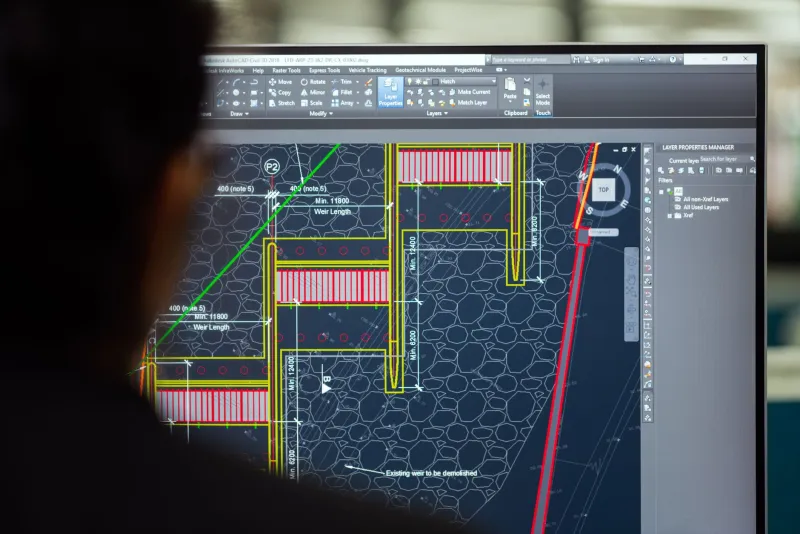
XREF management is the single most consequential technical challenge in distributed CAD work. When reference file paths are absolute—specifying a full directory location—they break the moment the file moves to a different machine or network location. Relative paths are more resilient, but they require that the folder structure on every workstation mirror the project directory structure on the server. That consistency demands deliberate project setup and disciplined file management from every team member.
Firms that have standardized on a consistent project folder template—enforced through onboarding documentation and periodic audits—report significantly fewer XREF failures in distributed environments. The template itself is simple: a defined set of folders for base files, references, sheets, and archives, with identical naming and hierarchy across every project. When every workstation replicates that structure, relative XREF paths resolve reliably regardless of where the file physically lives.
For teams working within Autodesk's cloud ecosystem, the platform manages path resolution automatically, which removes much of this burden. The investment in adopting that ecosystem is not trivial, but for firms with permanent remote or hybrid arrangements, the long-term reduction in XREF-related troubleshooting time is substantial.
Performance Trade-Offs at the Remote Workstation
Bandwidth and GPU performance interact in ways that distributed teams often discover only after problems arise. AutoCAD's 3D and rendering workloads are GPU-intensive, and remote workstations vary considerably in their hardware specifications. A team member connecting from a home office workstation that was selected for budget rather than performance will experience degraded response times on complex drawing sets—and may compensate by disabling visual styles, suppressing XREF display, or working in simplified 2D views that reduce the risk of catching coordination errors.
Firms that have established minimum hardware specifications for remote workstations—and that enforce those specifications through IT policy rather than informal guidance—report fewer performance complaints and fewer instances of staff working around the toolset in ways that compromise quality. The specification document does not need to be elaborate: processor generation, RAM floor, GPU class, and storage type (SSD is non-negotiable for active CAD work) are the variables that matter most.
Coordination Protocols That Actually Hold
Technology alone does not solve distributed collaboration. The firms managing remote CAD work most effectively have invested as much in protocol design as in infrastructure. A few practices appear consistently among high-performing distributed teams.
Daily file check-in routines—where team members upload or sync their working files at the end of each session—create natural synchronization points and reduce the window during which conflicts can develop undetected. Brief asynchronous status updates, shared in a project channel, communicate which files are active and which team members are working in which areas of the drawing set. Formal issue management through transmittal logs, rather than informal file sharing through email or messaging apps, maintains the audit trail that protects the firm when questions arise later.
Distributed work is not a temporary condition for most US firms—it is the operating environment. The teams that have accepted that reality and built their CAD workflows accordingly are not simply managing the inconvenience. They are turning distributed capability into a competitive advantage.