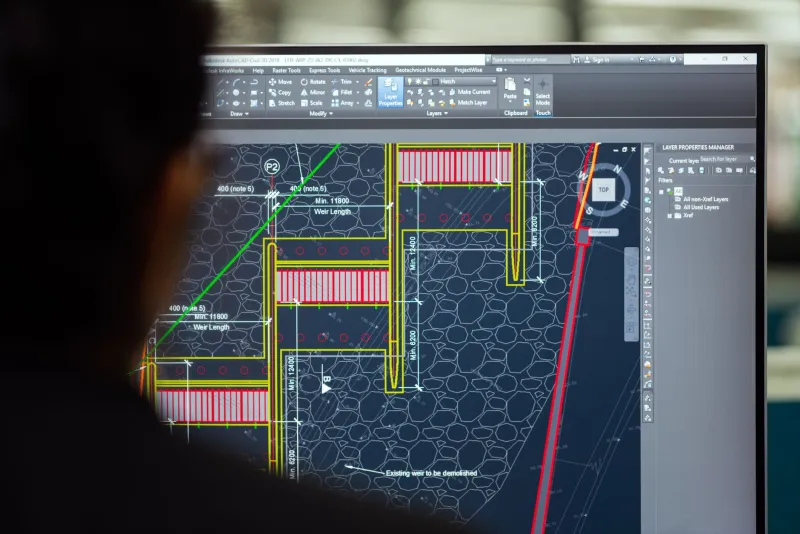
Why Architects Stall at Intermediate AutoCAD—and What Firms Can Do About It
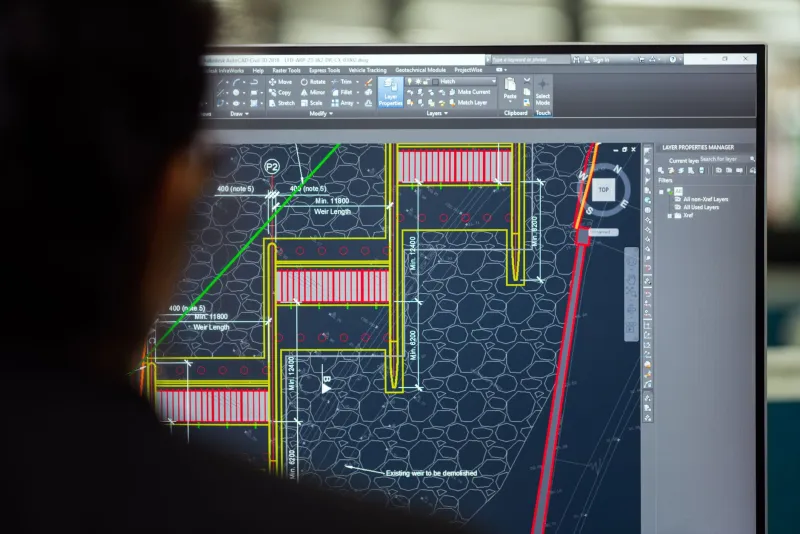
There is a pattern that repeats itself in architecture and engineering offices across the United States with remarkable consistency. A new hire arrives with a working knowledge of AutoCAD, completes their onboarding, and quickly becomes productive on day-to-day drafting tasks. Within six to eighteen months, however, their development plateaus. They can navigate the interface, produce clean drawings, and meet most deadlines—but they never advance beyond a functional intermediate level. The firm, satisfied that the baseline is covered, moves on.
The problem is that this plateau is not benign. It is expensive.
Research from workforce development organizations in the AEC sector consistently points to intermediate-level competency gaps as a primary driver of rework costs. When professionals lack fluency in advanced AutoCAD workflows, the downstream effects accumulate quietly: redundant drafting time, coordination errors that survive into construction documents, and revision cycles that consume hours a firm never budgeted. Individually, each incident looks minor. Collectively, they represent a significant and largely invisible drain on project profitability.
The Competency Ceiling: Where Most Professionals Stop
Understanding why professionals plateau requires looking at how AutoCAD skills are typically acquired. Most practitioners learn the software through a combination of formal coursework, on-the-job observation, and self-directed trial and error. This path produces reliable competency in the core functions—drawing, editing, dimensioning, and basic layering. It rarely produces fluency in the more sophisticated capabilities that separate efficient workflows from merely functional ones.
Three areas account for the majority of skill deficiencies observed at the intermediate plateau.
Parametric and Constraint-Based Workflows. AutoCAD's parametric drawing tools allow designers to define geometric relationships and dimensional constraints that persist through edits. For architects managing complex building geometries, this functionality dramatically reduces the time required to propagate design changes across a drawing set. Yet surveys of practicing professionals consistently show that a majority of intermediate users have never incorporated parametric tools into their standard workflow. The result is manual, repetitive adjustment work that should have been automated.
Advanced Block Management. Dynamic blocks are among the most powerful productivity features in AutoCAD, enabling a single block definition to represent multiple configurations through visibility states, stretch parameters, and lookup tables. Firms that use dynamic blocks effectively can maintain leaner, more consistent symbol libraries and reduce the time spent inserting and adjusting repetitive drawing elements. Firms whose staff lack this competency instead maintain bloated libraries of static blocks, manage inconsistencies manually, and spend disproportionate time on tasks that a well-configured block could handle in seconds.
Intelligent Detailing Practices. This category encompasses the use of annotative objects, attribute extraction, data linking, and sheet set management—tools designed to make drawing sets more accurate and easier to update. Architects who rely on manual annotation and disconnected detail management introduce fragility into their documentation. When project information changes, updates must be made repeatedly across multiple drawing files rather than propagating automatically from a central source. The rework exposure this creates is substantial.
Quantifying the Financial Impact
The cost of these gaps is difficult to isolate precisely, because rework is rarely logged with enough granularity to attribute it to a specific skill deficiency. What firms can measure, however, is the aggregate.
Industry estimates suggest that rework accounts for between five and fifteen percent of total project labor hours on a typical architectural commission. For a mid-sized firm billing $8 million annually, that range represents $400,000 to $1.2 million in labor that generates no billable value. Not all of that rework originates from CAD skill gaps—coordination failures, scope changes, and client revisions all contribute—but workflow inefficiency and documentation errors attributable to limited software fluency are consistently identified as significant contributors.
Remedial training compounds the cost. When a firm identifies a skill deficiency mid-project and attempts to address it through informal coaching or rushed instruction, the intervention itself consumes time that would otherwise be billable. The professional receiving the coaching is temporarily less productive. The colleague providing it is diverted from their own work. And because the instruction is reactive rather than structured, retention is often poor—meaning the same gap may resurface on the next project.
Why Firms Underestimate the Problem
Several organizational dynamics make it easy to miss the scale of this issue. Performance reviews in AEC firms tend to focus on deliverable quality and deadline adherence rather than workflow efficiency. A drafter who consistently meets deadlines by working longer hours may never surface as a training concern, even if their methods are significantly less efficient than they could be.
Additionally, project managers who are themselves at the intermediate plateau cannot always identify what advanced proficiency looks like. They evaluate their teams against a standard they themselves exemplify, which means the ceiling is invisible from where they stand.
Finally, training investments are often evaluated against their direct costs—course fees, time away from billable work—rather than against the cost of the inefficiency they are designed to eliminate. This framing makes training look expensive and the status quo look affordable, when the financial reality is often the reverse.
A Structured Approach to Closing the Gap
Addressing this problem effectively requires moving from reactive, incident-driven training to a proactive, competency-based development framework. The following approach is designed to be implementable without disrupting active project commitments.
Begin with a skills audit. Before investing in training, firms should establish a clear picture of where their workforce actually stands. This means assessing proficiency in specific functional areas—parametric tools, block management, sheet set workflows, data extraction—rather than relying on self-reported experience levels or years of software use. Structured assessments, even informal ones, routinely reveal gaps that neither the professional nor their manager had recognized.
Prioritize by financial impact. Not all skill gaps carry equal cost. Firms should map the competency deficiencies identified in the audit against the workflow tasks that consume the most labor on their typical projects. Training investment should be concentrated where the efficiency gains are largest, not spread uniformly across all identified gaps.
Integrate learning into project workflows. One of the most effective ways to build durable proficiency is to embed skill development into real project work rather than separating it into standalone training events. This might mean assigning a junior drafter to configure a dynamic block library for a current project under the guidance of a more experienced colleague, or requiring that a specific sheet set be managed using AutoCAD's sheet set tools rather than manual file organization. The learning is contextual, the output is immediately useful, and the firm avoids the productivity loss associated with pulling staff off billable work entirely.
Establish internal benchmarks. Firms that have successfully closed their competency gaps typically do so by defining what advanced proficiency looks like within their specific practice context and making that standard visible. Internal documentation, workflow guides, and template files that encode best practices give the entire team a target to develop toward and a resource to consult when gaps emerge.
The Strategic Imperative
The architecture and engineering firms that will maintain competitive margins in an increasingly cost-pressured market are those that treat software proficiency as a strategic asset rather than a baseline assumption. AutoCAD's advanced capabilities exist precisely to eliminate the inefficiencies that erode project profitability—but they deliver that value only to firms whose staff can actually use them.
The competency ceiling is not inevitable. It is a product of how firms approach training, and it is entirely within their control to raise it.